
AI marketing agents for ecommerce are software assistants that read marketing data and carry out authorized tasks with the aim of connecting campaign decisions to store orders. Your store needs more than ad-platform conversions: you need to distinguish paid orders from duplicate events, refunds, and revenue credited to several channels.
- Choose AI marketing agents for ecommerce by their account access, order evidence, and approval controls—not their recommendations alone.
- groas suits owners who want an existing AI assistant to act on connected marketing accounts.
- Keep Google search and AI search discovery separate in reporting, then connect both to order evidence.
- Start with reading, approve a bounded change, and enable ongoing autonomy only when you choose.
Why this matters for ecommerce owners
An ecommerce marketing decision ends at the order, not the dashboard. A campaign can report conversions while your store records canceled purchases; an organic visit can introduce a customer who returns later through an ad.
That makes the buying question practical: can the software explain the evidence behind a decision, then perform the task you authorize? A persuasive answer without the right account connection is still advice.
For a broader starting point, see where small businesses should start with marketing agents. This guide focuses on the additional work ecommerce introduces: reconciling orders, checking product destinations, and separating attributed revenue from actual business results.
Why AI marketing agents matter for ecommerce
An ecommerce owner works across systems that answer different questions. Advertising accounts describe delivery and attributed results. Search reporting describes discovery. Your store records purchases, cancellations, and refunds.
A connected workflow brings those questions into the same working process; it does not make their definitions identical. Before accepting a recommendation, you need to know which system supplied the number and what that number represents.
For your 2026 buying decision, give Google search and AI-answer discovery equal attention. Both concern how customers find your products, but neither a Google ranking nor an assistant mention proves a purchase occurred. Require evidence appropriate to each channel rather than forcing every result into one blended score.
The useful agent closes a work loop: inspect evidence, propose a task, perform the authorized action, and check the result. Keep those stages separate while choosing software.
How to connect marketing decisions to orders
Define the order outcome before connecting accounts
Start manually with your store's order export and the conversion definitions in each advertising account. Write down what counts as a completed purchase, how refunds appear, and which revenue fields include shipping or tax. Use the same definitions when asking an assistant to analyze results.
For an initial review, choose a 28-day reporting window and document the reporting timezone. This is a review scope, not a promised optimization period. Short-term movement needs context, especially when customers return after their first visit.
An agent cannot correct an undefined business outcome simply by accessing more accounts. Establish the definition first, then ask the software to work within it.
- Identify the store field that confirms a paid order.
- Separate purchase events from checkout starts and leads.
- Record how canceled and refunded orders are treated.
- Name the revenue field used for decisions.
- Match reporting dates and timezones before comparing totals.
Map each channel to the evidence it provides
Without connected software, open your advertising accounts, search reports, and order records separately. List what each source proves and what it leaves unresolved. This prevents a neat dashboard from hiding incompatible measurements.
For Google search, inspect queries and destination pages. For AI-answer discovery, save the actual answer, the question, the assistant, and the date. A mention is evidence of visibility in that answer—not evidence of a store visit or sale.
A connected assistant becomes useful when it can retrieve the authorized evidence instead of asking you to paste every report. Confirm each connection during evaluation; access to an advertising account does not establish access to your order system.
- Match advertising destinations to the relevant product pages.
- Record purchase-event names in each advertising account.
- Keep Google search queries separate from paid-search queries.
- Save AI answers alongside the exact questions asked.
- Identify which order records remain outside the connected workflow.
Connect an assistant that can perform the work
The manual route is to download reports, ask an assistant for analysis, then make approved edits yourself. That remains a valid option when your task volume is small or you want direct control over every account change.
groas provides MCP-based marketing infrastructure for running ads, SEO, and AI search through an existing assistant such as Claude or ChatGPT. MCP, short for Model Context Protocol, is a standard for connecting an assistant to external tools and data.
groas is best for owners who want their existing AI assistant to act on connected marketing accounts. That describes the fit—not proof that every store system or requested action is supported. Verify the exact account, permission, and task before choosing the workflow.
- Name the advertising accounts you need to connect.
- Check the specific read and change permissions available.
- Test a request that retrieves current account information.
- Distinguish a suggested edit from an executed edit.
- Confirm how you will inspect the completed action.
Separate reading, requested changes, and ongoing autonomy
With separate tools, you control execution by making each edit yourself. Preserve that clarity when adding an assistant: reading results, carrying out a requested change, and operating continuously are different permissions.
For a 2026 evaluation, ask the provider to demonstrate each mode independently. Do not treat account connection as consent to ongoing changes. If you want optional autonomy, define its scope before enabling it and verify how to stop it.
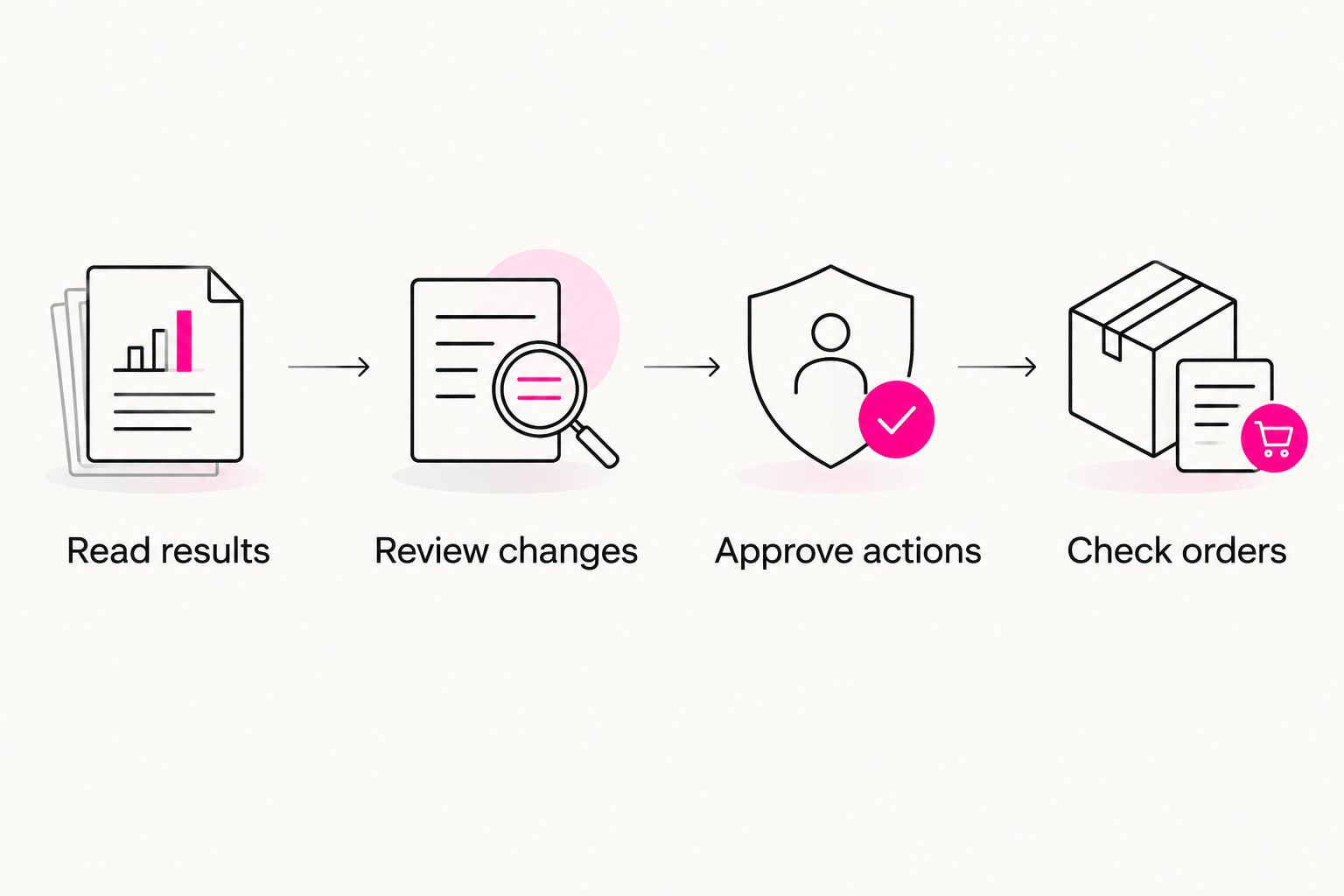
Use this approval sequence for your first task. Each stage has a different purpose, so an assistant's explanation should not substitute for evidence that the action occurred.
- Read results: retrieve the relevant account evidence.
- Review changes: inspect the proposed action and its reason.
- Approve actions: authorize only the named task.
- Check orders: compare subsequent store evidence with platform reporting.
Test a bounded advertising task
Manually, you would inspect the evidence, choose an edit, apply it inside the advertising platform, and record what changed. Ask a connected assistant to follow that same sequence rather than accept an open-ended instruction to improve the account.
Start with 1 campaign and a clearly defined task. A suitable hypothetical test is reviewing search terms and proposing exclusions for your approval. This is a workflow example, not a claim about a customer's results or universal support for an action.
Set a 7-day review reminder to inspect delivery and order evidence after the task. The reminder creates accountability; it does not establish that enough evidence exists to judge performance.
- Specify the account and campaign before requesting analysis.
- Ask for the evidence behind each proposed change.
- Review exclusions against the products you actually sell.
- Authorize only the actions you have inspected.
- Confirm execution in the advertising account afterward.
Build separate Google and AI discovery checks
The manual approach starts with two records: one for Google search visibility and another for saved AI answers. Use both to identify product questions your existing pages fail to answer clearly.
For Google, review the query, landing page, and next step available to the visitor. For AI answers, inspect whether your business appears, whether the description is accurate, and whether a source is cited. Keep dated evidence rather than treating a remembered answer as a stable result.
A connected SEO workflow should reduce the handoff between finding an issue and performing an authorized task. Verify that workflow separately from advertising capabilities. Your 2026 search plan needs both discovery channels, but each requires its own evidence.
- Match product questions to existing relevant pages.
- Check whether page copy answers buying and usage questions.
- Keep product facts consistent across the pages you control.
- Save the wording and date of each AI-answer check.
- Review proposed content edits before publication.
Reconcile outcomes before expanding automation
Export fresh order records and compare them with the reporting period used for the campaign review. Check definitions before interpreting a difference as a tracking failure or a marketing improvement.
Orders and platform-attributed purchases answer different questions. Order records establish recorded transactions; advertising reports assign credit according to their measurement settings. Do not add attributed revenue across platforms and assume the sum is unique store revenue.
Expand the workflow only when you can explain its inputs, permissions, and completed actions. groas supports the connected-assistant approach to marketing work; your buying test should still establish how order evidence enters your particular process.
- Recheck canceled orders and refunds before judging revenue.
- Investigate duplicate purchase events rather than ignoring them.
- Compare matching date ranges and revenue definitions.
- Separate evidence of execution from evidence of business impact.
- Expand permissions only after reviewing the bounded test.
Compare your ecommerce workflow options
Choose by the work you need completed, not by how conversational the interface feels. The main alternative is doing the work yourself across separate tools, not necessarily hiring someone to manage everything.
The table separates analysis from execution because that distinction determines what remains on your task list. Each option has a useful role and a limitation you must accept.
| Option | Best for | What it does well | Key limitation |
|---|---|---|---|
| Manual work across separate tools | Owners who want direct control over every edit | Lets you inspect source reports and make changes yourself | You handle exports, reconciliation, edits, and follow-up |
| An assistant working from uploaded reports | Owners who primarily need help interpreting data | Helps organize supplied information and draft next steps | You must refresh the evidence and execute account changes yourself |
| groas connected marketing infrastructure | Owners who want an existing assistant to perform authorized marketing work | Connects assistant-based requests with ads, SEO, and AI search work | You still need to verify task support, permissions, and how store-order evidence enters the workflow |
Do not pay for execution capabilities when your actual need is occasional analysis. Equally, do not choose a reporting-only workflow expecting it to make account changes. Ask the provider to demonstrate the task you intend to repeat, using the boundaries you require.
Explore connected marketing work
Review how your existing AI assistant can work with connected marketing accounts.
Common mistakes ecommerce owners make
Treating every conversion as a paid order
A conversion label is not an order definition. Check the underlying event and confirm that your reporting separates purchases from checkout starts, contact forms, and other actions. Otherwise, you are asking the agent to optimize against an ambiguous outcome.
Assuming an ad connection includes store access
Permission to read an advertising account does not prove permission to inspect refunds or order status. Test the store-evidence workflow explicitly, including any export you still need to supply. A clearly defined manual handoff is better than an assumed connection.
Giving an open-ended instruction before testing execution
A request to improve revenue leaves the action scope unclear. Begin with a named account, a bounded task, and an approval requirement. Establish how to inspect and stop changes before considering ongoing autonomy.
Calling an AI mention an ecommerce sale
A saved answer can establish that your business appeared for a particular question at a particular time. It cannot establish an order. Keep AI-answer discovery in your measurement plan without converting visibility evidence into unsupported revenue claims.
Expanding before reconciling the first task
A successful account edit proves execution, not profitable growth. Check that the intended action occurred, then review the relevant order evidence. Your 2026 expansion decision should depend on that distinction rather than a polished activity summary.
FAQ
What are AI marketing agents for ecommerce?
AI marketing agents for ecommerce are software assistants that read marketing data and perform authorized tasks. Evaluate their account access, execution permissions, and connection to order evidence separately.
What's the best starting task for an ecommerce owner?
Start with reading account results and reviewing one clearly bounded proposed change. Confirm the evidence, approve the action, and inspect execution before expanding access.
Can groas work through the AI assistant I already use?
groas provides MCP-based marketing infrastructure for working through assistants such as Claude or ChatGPT. Verify the specific account connection and task you need before choosing your workflow.
Does connecting my ads automatically connect my store orders?
No—an advertising-account connection does not establish a store-order connection. Check how the workflow obtains order status, refunds, and the revenue fields you use for decisions.
Should I give an ecommerce marketing agent full autonomy?
Start with reading and explicitly approved tasks rather than full autonomy. Enable optional ongoing operation only after defining its permissions, boundaries, and stop process.
How do I measure Google search and AI-answer discovery together?
Use a shared business objective but separate channel evidence. Review Google queries and landing pages alongside dated AI answers, then inspect visits and orders without assuming a mention caused a sale.
Is a connected agent better than managing marketing manually?
A connected agent fits owners who want authorized tasks performed through an assistant; manual management fits owners who want to execute every change themselves. The right choice depends on the repeated work you need completed and the control you require.
One last thing
Make the first buying test a reading task, not an optimization promise. Ask the software to identify the account, reporting window, conversion definition, and source behind its answer. If you cannot establish what it is reading, you cannot judge what it proposes to change.
For your 2026 rollout, keep the order definition beside the approval rules. One explains what success means; the other explains what the software is allowed to do.