
Choose an AI SEO agent that can complete an authorized task in your connected marketing accounts, not just recommend what you should do next. Before committing, test its read access, approve one specific change, and check the result; treat ongoing autonomy as a separate decision, not a default setting.
- Choose an AI SEO agent by demonstrated execution, not the length of its recommendations.
- Groas connects existing AI assistants to marketing work across SEO, AI search, and paid advertising.
- Test reading, requested changes, and optional autonomy separately before expanding access.
- Evaluate Google search visibility and AI-answer discovery separately; neither proves the other.
Why this matters
A useful recommendation still leaves you with work: find the affected page, check the evidence, make the edit, publish it, and verify the result. Buying another advice interface does not remove those handoffs.
Groas is best for owners who want their existing AI assistant to act on connected marketing accounts. It provides MCP-based infrastructure for advertising, SEO, and AI search. MCP, short for Model Context Protocol, is a way for an assistant to interact with connected tools rather than rely only on conversation.
Your buying question in 2026 is practical: which parts of your work can the software actually complete, under permissions you understand?
AI SEO agent: how do you choose one that does the work?
Choose an agent by testing a complete workflow, from retrieving evidence to checking an authorized result. A polished answer is not proof of account access, and account access is not proof that the tool can make the change you need.
Start with the work you currently do yourself. The comparison below separates three approaches without assuming you need to replace an agency.
| Approach | Best for | What you still handle | Main trade-off |
|---|---|---|---|
| Separate tools | Owners who want direct control over every step | Move evidence between reports, editors, and publishing tools | Clear hands-on control, but you coordinate the workflow |
| Advice-only assistant | Owners who need help interpreting evidence or drafting changes | Retrieve account data, implement recommendations, and verify publication | Useful analysis without connected execution |
| Connected agent | Owners who want an assistant to act through authorized tools | Set scope, approve changes, and inspect results | Execution depends on the connections, actions, and permissions supported |
Buy for the task you need completed, not for the agent label. Ask the vendor to demonstrate your workflow in the environment where you will use it. A generic content-writing demonstration does not establish that the product can inspect your search data or update your publishing system.
Start with the work you do by hand
Write down a recurring SEO task before comparing software. Choose something bounded enough that you can tell whether it finished correctly.
A hypothetical example: you want to improve a service page that receives search impressions but attracts poorly matched visitors. Today, you inspect queries, read the page, decide what needs changing, open the editor, publish an update, and check that the intended version is live.
An agent evaluation should follow those same handoffs:
- Find evidence: identify the connected source and the page being reviewed.
- Explain the problem: separate observed facts from an interpretation.
- Propose the change: show the wording or setting before execution.
- Apply the change: use an authorized action, if that action is supported.
- Verify the result: inspect what actually changed, not merely the completion message.
This test exposes the difference between help with thinking and help with execution. Both have value, but you should know which one you are buying.
Avoid beginning with an instruction such as “improve all my SEO.” It leaves the scope, acceptance criteria, and permission boundaries undefined.
Separate reading, requested changes, and optional autonomy
Evaluate these as distinct operating modes. Permission to inspect an account should not be treated as permission to edit it, and permission for one edit should not become permission for recurring changes.
Read only
Best for: understanding your current position before allowing changes. Ask the agent to retrieve evidence from a connected source, explain its scope, and identify the affected pages or queries.
The advantage is inspection without an intended edit. The limitation is that someone still has to implement the recommendation. Check the actual connection permissions rather than assuming a request phrased as read-only restricts the underlying access.
Requested changes
Best for: owners who want execution while retaining task-by-task control. Specify the exact page or account, the proposed action, and what must remain untouched.
The advantage is a bounded handoff. The limitation is that you still review each action, and the requested change must be supported by the connection. Approval in a chat is useful only when it corresponds to the action the system executes.
Optional autonomy
Best for: repeatable work with clear rules and an established verification process. Consider recurring execution only after the same workflow works under direct supervision.
The advantage is less repeated instruction. The trade-off is that an incorrect rule can repeat as readily as a correct one. Require explicit activation, a defined scope, and a way to stop future actions; do not assume every product offers this mode.
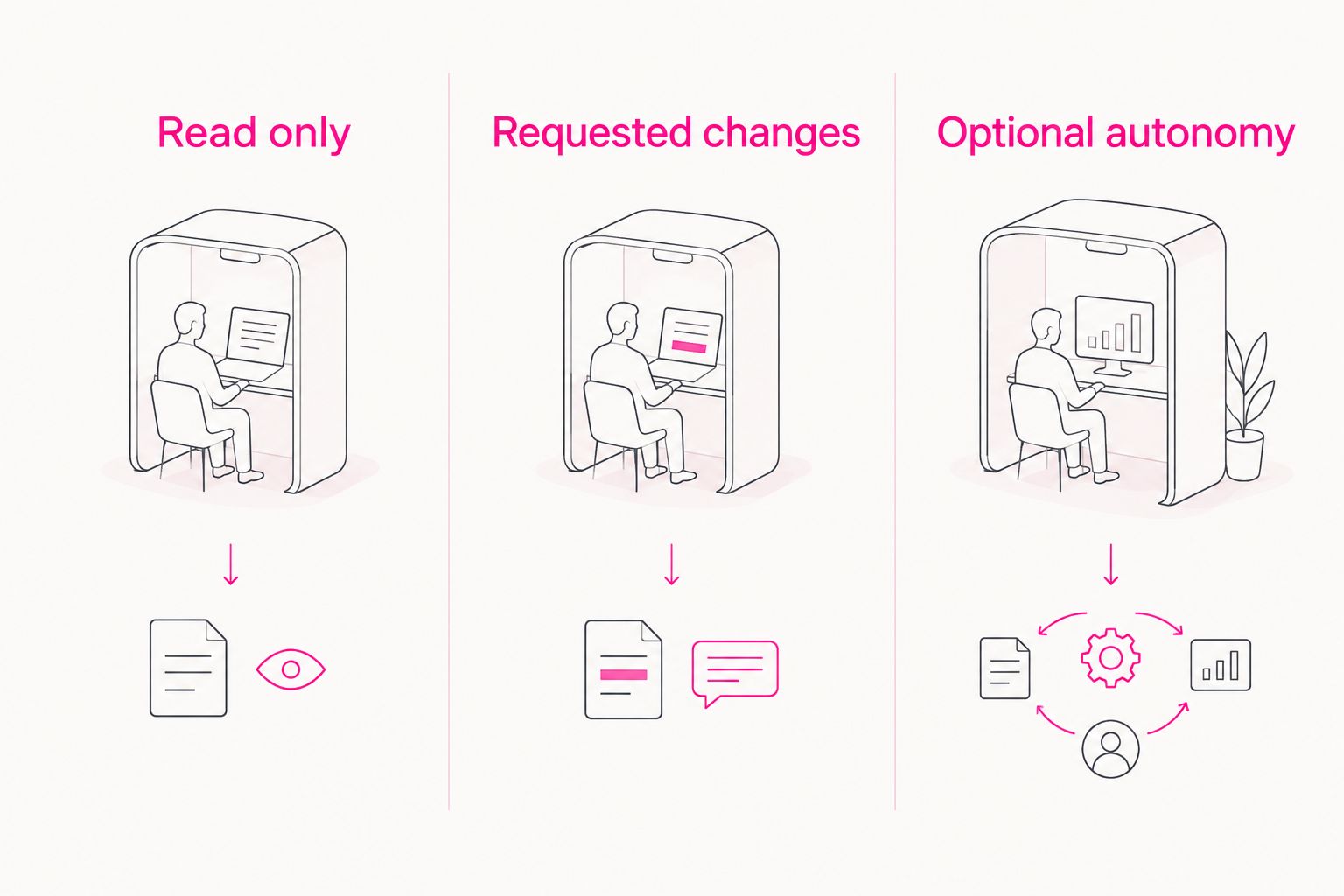
For a 2026 buying decision, ask the vendor to show how each permission scope is configured. Do not accept a description of safeguards in place of seeing the relevant controls.
Run a small acceptance test before you subscribe
Use 1 read-only task, 1 requested change, and 1 repeatable workflow as your evaluation scope. These are buying-test recommendations, not performance benchmarks.
1. Inspect a connected source
Ask the agent to identify the account, property, or site it is reading. Then request evidence for a specific page or query, including the reporting period where applicable.
Compare the answer with the source yourself. If the assistant cannot distinguish retrieved information from its own interpretation, do not give it broader responsibilities.
2. Request a bounded change
Choose a reversible edit that the product explicitly supports. Ask to see the proposed change before it runs, and name the page or account that must remain untouched.
For a hypothetical page-editing test, you might authorize a revised title on one page while prohibiting changes to its body or other pages. This tests a capability; it is not a claim that every agent supports publishing.
3. Verify independently
Inspect the destination after execution. Check the saved setting or published page, not just the assistant’s statement that the task is complete.
A change can be saved without appearing publicly, and an edited page is not proof that a search engine has processed it. Keep those checkpoints separate.
4. Inspect the action record
Ask for the original request, proposed action, approval, execution result, and any error. You should be able to reconstruct what happened without relying on memory.
If the workflow cannot provide an adequate record, keep the task supervised. Do not expand permissions to compensate for unclear execution.
5. Test the stopping point
Ask what happens when permission is absent, the target is ambiguous, or a connection fails. The useful outcome is a clear stop and an explanation, not a confident substitute action.
For recurring work, inspect how you disable future runs. Test that control before making the workflow part of routine operations.
Give Google search and AI-answer discovery equal attention
Your 2026 evaluation should include both conventional search evidence and evidence from generated answers. They address different discovery surfaces, so neither should stand in for the other.
Google search: inspect the page and query evidence
Ask which pages appear for relevant searches and whether those searches match what you sell. Review the landing page alongside the query rather than treating traffic alone as the objective.
A completed edit is an operational result. A later change in impressions, clicks, or enquiries is a separate measurement question, and attributing that change requires more than a before-and-after screenshot.
AI-answer discovery: inspect the actual answers
Choose buyer questions that reflect your offer. Save the prompt, assistant, date, and answer so you can distinguish a brand mention, a citation, and a recommendation.
A crawler visit does not establish that an answer cited your page. Likewise, one saved answer does not establish consistent visibility across other questions or assistants.
Require evidence appropriate to the claim. If a tool reports improved AI visibility, ask to inspect the underlying answers and the method used to compare them.
Why AI SEO agent usefulness varies
The useful comparison is not which assistant sounds most capable. It is which system can complete your work with acceptable controls.
- Connection coverage: a workflow stops where access to the necessary account or publishing system stops.
- Action coverage: reading a report and editing a page are different capabilities; verify each required action.
- Permission design: task-specific approval gives you a different operating model from recurring authorization.
- Evidence quality: a recommendation needs a traceable source, relevant scope, and a clear separation between fact and interpretation.
- Verification: a completion message is weaker evidence than inspection of the destination.
- Recovery: know how to stop future actions and restore an earlier state where the destination supports it.
Apply the same criteria to Groas. Its connected-assistant approach fits owners who want to work through Claude, ChatGPT, or another agent, but you still need to verify the exact SEO action and destination involved in your workflow.
The benefit is acting through an assistant you already use. The constraint is that a connected workflow still depends on supported actions, permissions, and your acceptance checks.
Can an AI SEO agent replace my separate tools?
An AI SEO agent can reduce manual handoffs only where it supports the underlying work. An assistant interface does not automatically replace your analytics source, publishing system, or other specialist software.
Map each tool to its job before cancelling anything. Keep the source system until the replacement workflow preserves the evidence, execution, and verification you need.
Should I enable autonomous SEO immediately?
Start with 1 requested change, not an open-ended instruction to optimize the site. Expand scope only after you can inspect a correct result and understand how future execution is controlled.
In 2026, autonomy is still a permission decision, not evidence of quality. A narrowly authorized workflow that finishes correctly is more useful than broad authority you cannot audit.
How do I know whether the agent actually did the work?
Check the destination and the action record together. The destination shows the resulting state; the record explains the request and action that produced it.
For search visibility, add a separate measurement step after implementation. Publishing a change, having it processed, and receiving useful discovery are different outcomes.
Explore connected marketing workflows
See how your existing assistant connects to SEO, AI search, and advertising work.
FAQ
What's the best AI SEO agent for a business owner?
The best AI SEO agent is the one that completes your required workflow through authorized connections and lets you verify the result. Compare it with doing the same work yourself across separate tools, not just with another chat interface.
Is an AI SEO agent different from an SEO chatbot?
An agent must demonstrate execution through connected tools to meet an execution-focused buying requirement. A chatbot that explains an issue or drafts an edit can still help, but you remain responsible for applying the change.
Can I use Groas through my existing assistant?
Groas provides MCP-based marketing infrastructure for use through Claude, ChatGPT, or another AI agent. Verify the connection and specific SEO or AI-search action you need before making it part of your workflow.
Will an AI SEO agent automatically change my website?
Automatic website changes depend on the product's supported actions and the permissions you enable. Begin with inspection, authorize bounded changes separately, and treat any ongoing autonomy as an explicit additional choice.
Can an AI SEO agent guarantee Google rankings or AI citations?
No agent can guarantee Google rankings or AI citations. Require evidence of completed work separately from evidence of later search appearances, citations, and useful visits.
What should I test before paying for an AI SEO agent?
Test 1 read-only task, 1 requested change, and 1 repeatable workflow. Check the source evidence, destination, approval boundary, action record, and stopping controls before expanding access.
Do I still need to review changes made by an SEO agent?
Review changes during evaluation and whenever the workflow or permission scope changes. Recurring execution should follow a verified process, not replace the need to establish one.
One last thing
The strongest final test is a refusal: ask the agent to do something outside its approved scope. A trustworthy workflow stops at the boundary instead of interpreting your goal as permission to do more.
For your 2026 shortlist, choose the system whose actions you can inspect and whose limits you can demonstrate. Then expand from a task that works, not from a promise.